Give your AI a process, not a wall of text.
Pathista turns your playbooks into step-by-step workflows that ChatGPT, Claude and any MCP client follow one step at a time, with loops, checks and decisions the model cannot skip, and every run live in front of you.
A payment method is needed to start the trial. Cancel before it ends and nothing is charged.
One link, sign in once, nothing to install.
- ChatGPT
- Claude
- Claude Code
- any MCP client (VS Code, Cursor, …)
Long prompts drift. Workflows don't.
A nine-step prompt works for nine messages. Then the model skips a step, forgets the loop back to QA, and nobody can tell where it is.
A long prompt
- 1.Collect the event's sources.
- 2.Write a brief. Ask me to approve it.
- 3.If I don't approve, revise it.
- 4.Write the product card.
- 5.Plan the posts for the batch.
- 6.Write captions and slides.
- 7.Run QA on every artefact.Skipped once the chat is long
- 8.If QA fails, go back to 6, but only for the posts that failed…A suggestion, not a rule
- 9.If it is the next batch, skip 2 to 4.
- Where is it? What did it decide? Scroll and guess.
A Pathista workflow
Check every artefact against the brief. List what fails and why.
Prices match the brief evidence: 2 captions fixed Links point to the event page- It can only move along the routes you drew.
Everything a process needs. Nothing it doesn't.
- Loops and conditions
- Steps connect with labelled routes, and a route can have a condition — for example, go back until the check passes. Going back is a real move, not a hope.
- Todos closed with evidence
- Each step can carry a checklist, and the assistant adds its own. None closes without a note of what was actually done.
- Live in the chat
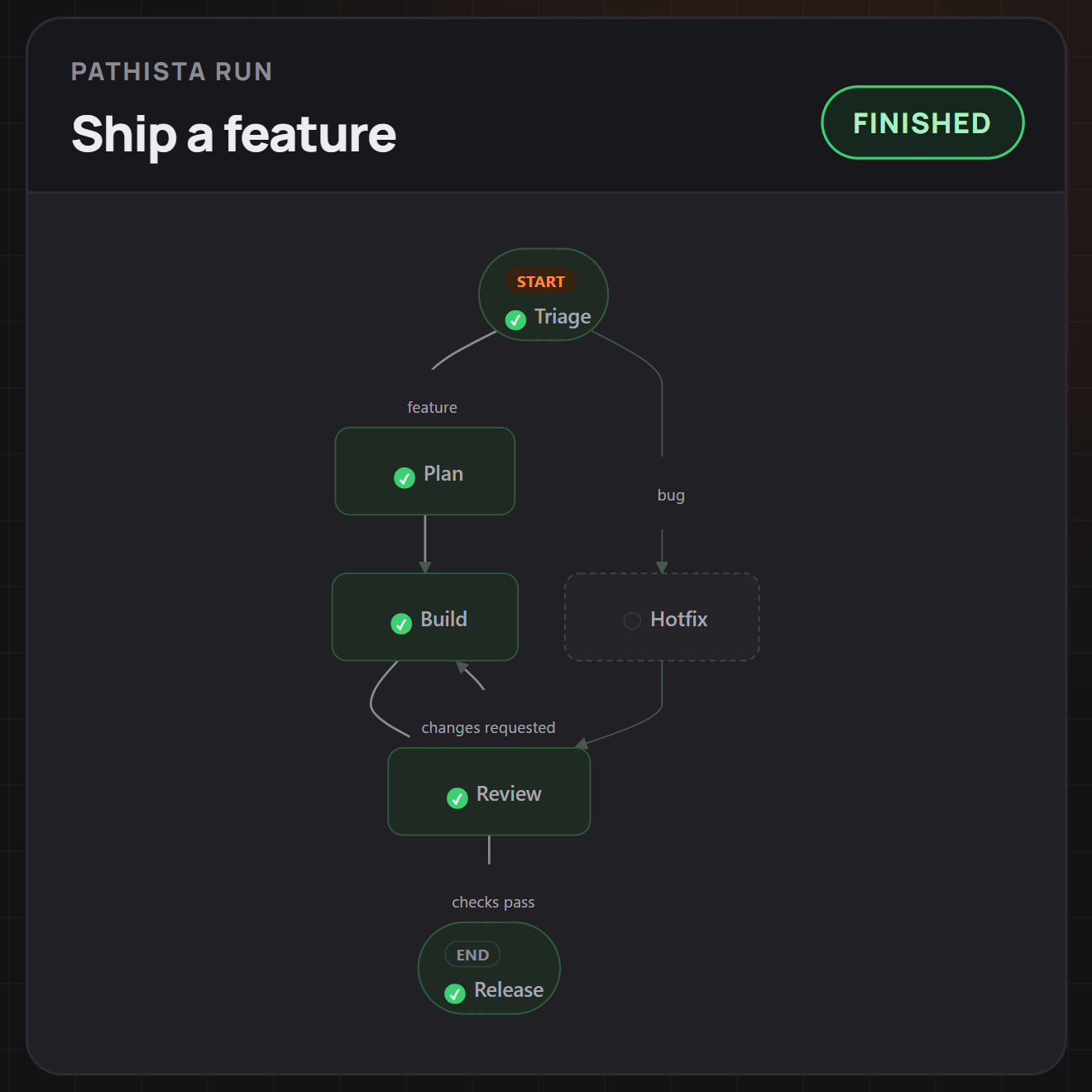
- The run's graph right in ChatGPT and Claude, with a link to follow it here.
- A page and a log for every run
- Follow a run live, filter by workflow, abort it or delete it. Every move with the summary that closed its step, free notes and closed todos, on one timeline, newest first.
- Versions, not surprises
- Edit a workflow in a form with a live graph. Every save is a version you can go back to.
Running in three steps.
-
Define a workflow
Steps with a prompt each, and the routes between them, each with a label and an optional condition. Loops and returns are fine; the graph draws itself as you type.
-
Connect your assistant
Paste one link into your assistant and sign in once. Every chat can start its own run.
-
Watch it follow the process
Ask your assistant to start the workflow in a chat, then let it work. It follows the steps and loops you drew, and stops where you put a decision.
Try Premium free for 14 days.
The free plan stays free. Premium adds room for a whole library of workflows:
- A library of 100 workflows, up to 100 steps each
- 10 runs open at the same time
- Runs kept for 12 months of inactivity
- Export and import of workflows
A payment method is needed to start the trial. Cancel before it ends and nothing is charged.
Already working in an editor?
Add Pathista with one click or one command, then ask your assistant to start a workflow. You sign in the first time it connects.
claude mcp add --transport http pathista https://pathista.com/mcp
/mcp to sign in.What the link adds, exactly:
{"url":"https://pathista.com/mcp"}Questions, answered.
What is MCP?
The Model Context Protocol is the open standard AI assistants use to call tools. Pathista is an MCP server: your assistant connects to it with one link and you sign in once.
Which assistants work with it?
Any MCP client that supports remote servers with sign-in. The assistants we have tested are listed under “Works with” near the top of this page; any other client with remote-server support should work too.
What does the model actually see?
Only the step it is on: that step's instructions, its todos and the ways out allowed right now. It moves on by reporting the step done, and Pathista refuses any move the graph does not allow.
Can I change a workflow while it runs?
Yes. Each save is a new version. Runs keep the version they started on; new runs take the latest.
Where does my data live?
Your workflows and runs are stored by Pathista and visible only to your account. A run left untouched is deleted after 30 days on the free plan (12 months on Premium), and you can delete one any time. If you belong to a company, the runs you start on its workflows can also be read by the company's Owners and Admins.
Does it replace my assistant?
No. It gives the assistant you already use a process to follow — the chat, the model and your subscription stay the same.
How do I connect ChatGPT or Claude?
Open the connection guide: it has the link to add and the steps for each assistant. You sign in once when the assistant asks.Connect an assistant
How do I delete my data?
Account → Personal data → Delete removes your account with its workflows, runs and connected apps; single runs and workflows can be deleted from their lists. Copies in the database backups disappear within 14 days.What we keep and for how long
What does it cost?
Pathista has a free account and a Premium account at 10 USD a month or 96 USD a year, net of tax (VAT or sales tax, where it applies, is added at checkout). Premium is paid through Paddle; the pricing page shows the current trial, if there is one, and you can cancel any time. A company can use the Team plan at 10 USD per seat a month, net of tax, for at least 3 seats.
Who do I write to, and how fast do you answer?
Write to support@pathista.com. A person reads every message and sends a first reply within 2 working days.
Give your assistant a process.
Every new account starts with a guided start and ready-made templates.